
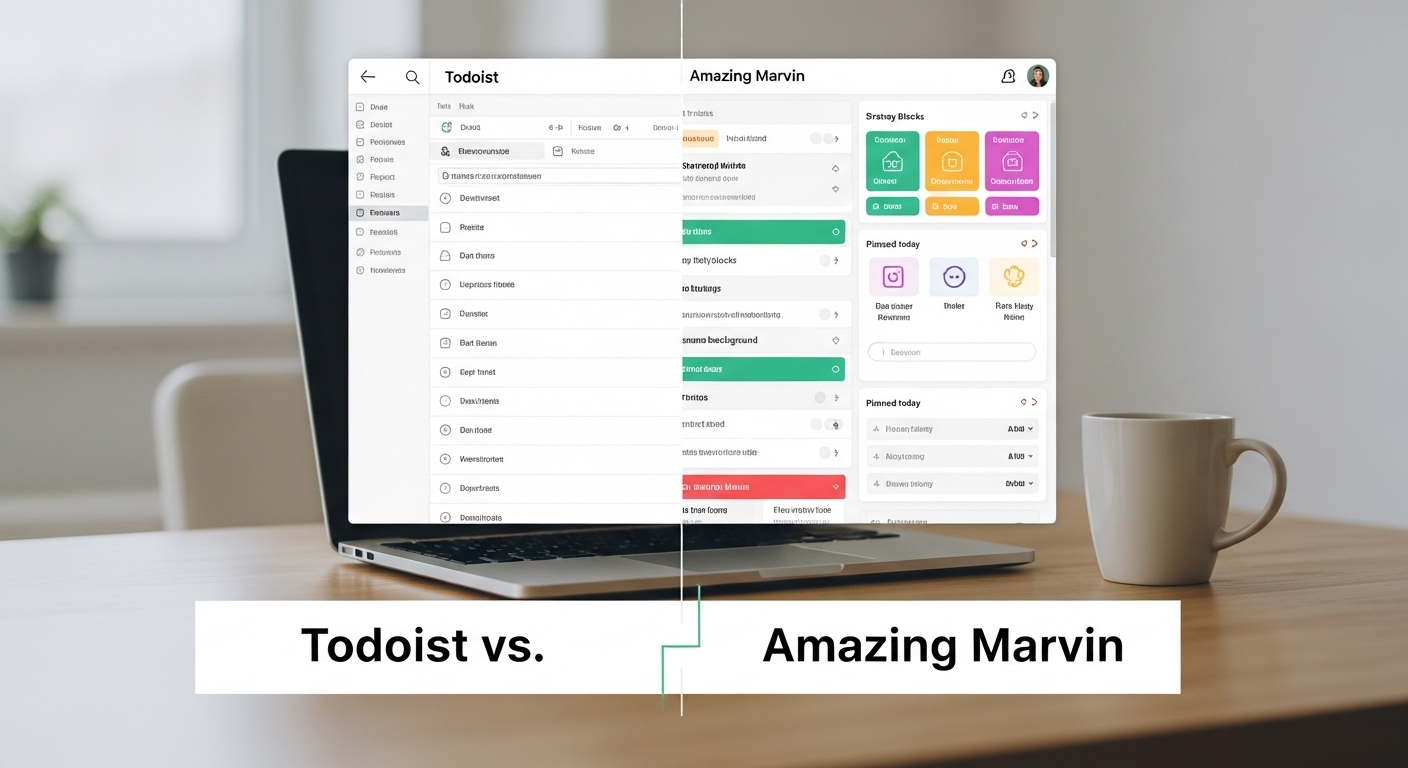
My Journey Through Task Management Hell
I’ve been here before. Too many times, actually. The cycle is always the same: discover a new task management tool, feel that initial rush of excitement, meticulously set everything up, use it religiously for a few weeks, and then… nothing. The app becomes a graveyard of unchecked boxes, a monument to good intentions that somehow never translated into sustained action.
The last one was Taskwarrior. I loved it, genuinely. There’s something deeply satisfying about managing your life from the terminal, feeling like you’re operating at a level of efficiency that graphical interfaces just can’t match. The command-line interface felt powerful, the tagging system was elegant, and the ability to script and automate was exactly what I thought I needed.
But here’s the thing: after a few weeks, I couldn’t see where I was going.
I had tasks. Lots of them. They were organized, prioritized, tagged with surgical precision. But when I looked at my terminal, all I saw were items to complete. There was no narrative, no arc, no sense of “this is where you are, and this is where you’re heading.” It was like having a perfectly organized toolbox but no blueprint for what I was building.
The realization hit me hard: I don’t just need a tool to track tasks. I need a system that shows me why these tasks matter, what happens when I complete them, and most importantly, where all of this effort is taking me.
What I Actually Need (And Maybe You Do Too)
After reflecting on my pattern of tool abandonment, I’ve identified what I actually need from a task management system. It’s not just about features or aesthetics or even efficiency. It’s about something deeper:
I need to see the story of my progress.
Let me break that down into specific requirements:
1. Clear Visibility of Important vs Everything Else
I need an immediate visual distinction between what matters right now and what’s just noise. Not everything is equally important, but most task managers treat everything with democratic indifference. I need a system that screams at me: “This matters TODAY. That other stuff? Later.”
2. A Visible Backlog That Doesn’t Haunt Me
Here’s a paradox: I need to know my backlog exists, but I don’t want it staring at me every day, inducing guilt and anxiety. The backlog should be there when I need to pull from it, invisible when I don’t. It should be a resource, not a burden.
3. Connection Between Action and Outcome
This is the big one. When I complete a task, I need to see how it connects to something larger. Did that move a project forward? Did it get me closer to a goal? What actually changed in my world because I checked that box?
Most task managers give you the dopamine hit of checking a box and then… silence. The task disappears into the void of “completed items,” and you’re left wondering if you actually accomplished anything meaningful.
4. Tangible Rewards and Progress Tracking
I hate to admit it, but I’m motivated by gamification. Not in a shallow way, but in the sense that I need feedback loops. I need to see that my consistent effort is accumulating into something. Points, levels, streaks, visual progress bars, whatever it takes to make the invisible work of daily discipline visible and rewarding.
5. Flexibility Between Terminal and Visual Interfaces
Sometimes I want the speed and efficiency of a command line. Other times, especially when I’m planning or reflecting, I need a visual overview. I need a system that works both ways without feeling like I’m using two different tools.
6. The “Why” Built In
Every task should have a shadow that asks: “Why does this matter?” Not as a philosophical exercise, but as a practical reminder. When motivation wanes, I need to quickly reconnect with the purpose behind the work.
With these requirements clear, I started researching. Two tools kept appearing in my search: Todoist and Amazing Marvin. Both promised to be more than just task managers. Both claimed to solve the exact problems I was facing.
Let me tell you what I found.
Todoist: The Elegant Motivator
Todoist has been around since 2007, which in tech years makes it practically ancient. But unlike many legacy tools, it hasn’t stagnated. It’s evolved into something streamlined, beautiful, and surprisingly motivating.
First Impressions
The first thing that strikes you about Todoist is its cleanliness. The interface is minimal without being sparse, intuitive without being condescending. You can start using it immediately, no tutorials required. This is both its strength and, potentially, its weakness.
The Inbox Philosophy
Todoist starts with an Inbox, a concept borrowed from GTD (Getting Things Done). Everything goes here first. Then you organize. It’s simple, but it forces a discipline: capture first, organize later. This solves one of my chronic problems, losing ideas because I couldn’t decide where to file them immediately.
Projects and Sections: The Organizational Backbone
Here’s where Todoist starts to reveal its power. You can create projects (like “Work,” “Personal,” “Learning”), and within each project, you can create sections. This two-level hierarchy is enough for most people without being overwhelming.
For example, my “Work” project might have sections like:
- Active Clients
- Business Development
- Administration
- Professional Development
Each section holds related tasks. It’s straightforward, but it works.
Priority Levels: The Visual Hierarchy I Needed
Todoist has four priority levels, color-coded:
- P1: Red (urgent and important)
- P2: Orange (important)
- P3: Blue (normal)
- P4: White (low priority)
This is exactly what I needed. At a glance, I can see what demands my immediate attention. My Today view becomes a prioritized battlefield where red tasks scream for attention, and everything else knows its place.
The Game Changer: Todoist Karma
This is what sets Todoist apart from most productivity tools. Karma is a points-based gamification system that tracks your productivity over time. You earn points by completing tasks, maintaining streaks, and hitting daily and weekly goals.
You progress through levels:
- Beginner (0-499 points)
- Intermediate (500-999)
- Advanced (1000-2499)
- Professional (2500-4999)
- Expert (5000-9999)
- Master (10000+)
There’s also a productivity trend graph showing your performance over weeks and months. This is the progress visibility I was craving. It’s not just about today’s tasks; it’s about the accumulated pattern of your productivity.
When I complete a task, I don’t just check a box. I see my Karma increase. I see my daily goal meter fill. I see my streak continue. It’s a small thing, but it creates a feedback loop that actually works.
Filters and Labels: Power User Territory
For those who want more control, Todoist offers filters and labels. Labels are tags you can attach to tasks across different projects. Filters are saved searches that let you create custom views.
For example, I could create a filter that shows all P1 and P2 tasks due in the next three days across all projects with the label “urgent.” This becomes my custom “Emergency Dashboard.”
This is where the terminal user in me gets excited. There’s complexity available for those who want it, but it’s hidden from those who don’t.
The Terminal Experience: Todoist CLI
Todoist offers an official CLI, and third-party developers have created even more powerful ones. From the terminal, you can:
todoist list
todoist add "Write article" --priority 1 --project Writing
todoist complete <task-id>
todoist sync
It’s fast, efficient, and satisfies that command-line itch. But here’s the thing: it’s not as powerful as Taskwarrior. The CLI feels like a convenience feature rather than the primary interface. For pure terminal work, it’s somewhat limiting.
Natural Language Processing: Tiny Magic
Type “Write proposal tomorrow at 3pm #work p1” and Todoist understands:
- Task: Write proposal
- Due date: Tomorrow
- Time: 3pm
- Project: Work
- Priority: 1
This might seem trivial, but it removes friction. Ideas flow directly into organized tasks without breaking your mental flow.
Collaboration Features
Todoist supports sharing projects and assigning tasks to other people. For team work or shared household projects, this is valuable. You can comment on tasks, attach files, and see activity history.
For someone working solo, this might not matter. But having the option means Todoist can grow with your needs.
What Todoist Gets Right
The Outcome Visibility Problem: Todoist partially solves this through Karma and progress tracking. You can see your productivity trend over time, which creates a narrative of progress. However, it doesn’t explicitly show how individual tasks connect to larger outcomes.
The Backlog Management: The project and section system lets you create a “Someday/Maybe” project where tasks can live without cluttering your daily view. The Today view only shows what you’ve explicitly scheduled or flagged, so your backlog doesn’t haunt you.
The Reward System: Karma is genuinely motivating. It’s not just about completing tasks; it’s about building a productivity identity. Reaching “Expert” level feels meaningful, even though it’s just a digital badge.
Cross-Platform Flexibility: Works seamlessly across web, desktop, mobile, and terminal. Your tasks are always in sync, always accessible.
What Todoist Doesn’t Do Well
Limited Customization: Todoist has an opinion about how task management should work. If you agree with that opinion, it’s perfect. If you don’t, you’re out of luck. You can’t change the view layouts, can’t add custom fields, can’t fundamentally alter the workflow.
Shallow Task Metadata: You can’t attach rich context to tasks beyond due dates, priorities, labels, and comments. If you want to track time estimates, actual time spent, energy levels required, or custom statuses, Todoist doesn’t support this natively.
No Time Blocking or Scheduling: Todoist knows when tasks are due but doesn’t help you schedule when you’ll actually do them. If you want to time-block your day, you’ll need another tool.
The “Why” Isn’t Built In: While you can add descriptions to tasks, there’s no dedicated field for “why this matters” or goal-linking. You have to create this structure yourself using projects and labels.
Pricing
Todoist has a free tier that’s surprisingly generous: 5 projects, 5 collaborators, basic features. The Pro tier ($4/month) unlocks unlimited projects, reminders, labels, filters, comments, and file uploads. The Business tier adds team collaboration features.
For individual use, Pro is probably what you’d want for the full Karma system and advanced features.
Amazing Marvin: The Productivity Laboratory
If Todoist is an elegant, opinionated tool, Amazing Marvin is a productivity laboratory where you’re both scientist and subject. It’s not a task manager; it’s a customizable productivity system that happens to include task management.
First Impressions: Overwhelming Possibility
When you first open Amazing Marvin, you’re greeted with a setup wizard that asks about your productivity challenges and goals. Based on your answers, it enables certain features and strategies. This is both brilliant and potentially paralyzing.
Unlike Todoist’s “start using it immediately” approach, Marvin requires you to think about how you want to work. For someone who’s tried and abandoned many systems, this is actually valuable. It forces you to articulate what you actually need.
The Strategy Marketplace
This is Marvin’s killer feature: a marketplace of productivity strategies you can enable or disable. Each strategy adds specific features to your workspace:
- Time Blocking: Adds a daily schedule view where you can assign tasks to time slots
- Pomodoro Timer: Built-in focus timer with break tracking
- Eating the Frog: Marks your most important task and won’t let you forget it
- Day Wrap Up: End-of-day review ritual
- Reward Points: Custom gamification system
- Energy Tracking: Track how much energy tasks require
- Time Estimates: Estimate and track actual time spent
- Autopilot: Automatic task scheduling based on your patterns
And dozens more. You can enable exactly the strategies that resonate with you and ignore the rest. Your Marvin becomes uniquely yours.
The Master List and Daily Planning
Marvin separates your master list (all tasks) from your daily plan (today’s tasks). This is the backlog solution I needed. Your master list exists, organized by project and category, but it doesn’t overwhelm your daily view.
Each morning (or the night before), you consciously plan your day by dragging tasks from your master list to your daily plan. This creates intentionality. You’re not just reacting to due dates; you’re actively choosing what gets your time and energy.
Projects, Categories, and Custom Fields
Marvin’s organizational system is more flexible than Todoist’s:
- Projects: Top-level containers for related work
- Categories: Cross-project labels (similar to Todoist labels, but more powerful)
- Custom Fields: You can create your own metadata fields (text, numbers, dropdowns)
Want to track “Impact Level” or “Energy Required” or “Context” (home, office, errands)? Create a custom field. This is the deep customization that Todoist lacks.
The Visual Dashboard
Marvin’s default view shows your day in a vertical timeline. If you’ve enabled time blocking, you can see your entire day scheduled out. If you’ve enabled the Pomodoro strategy, you can start focus sessions directly from tasks.
The sidebar shows your projects, categories, and various smart lists (overdue, upcoming, waiting for, etc.). It’s more visually complex than Todoist, but the complexity serves a purpose: complete visibility.
The Reward System: Build Your Own
Unlike Todoist’s fixed Karma system, Marvin lets you design your own reward system. You can:
- Set point values for different task types
- Create custom achievements and badges
- Set daily and weekly point goals
- Track streaks for any behavior you want
This is both more powerful and more work. You have to decide what behaviors you want to reward and how. For someone who knows themselves well, this is perfect. For someone still figuring out what motivates them, it might be too much freedom.
The “Why” Built In: Goals and Parent Tasks
Marvin has a dedicated goals section where you can define long-term objectives. You can then link tasks to specific goals. This creates the outcome connection I was craving.
Additionally, tasks can have parent tasks, creating a hierarchy:
- Goal: Launch new product
- Parent Task: Complete market research
- Task: Interview 10 potential customers
- Task: Analyze competitor pricing
- Task: Write positioning document
- Parent Task: Complete market research
When you complete a child task, you see progress on the parent task. When you complete a parent task, you see progress on the goal. The connection between action and outcome is explicit.
Time Tracking and Estimation
If you enable these strategies, Marvin becomes a time-tracking powerhouse:
- Estimate how long tasks will take
- Track actual time spent
- See discrepancies between estimates and actuals
- Get better at estimating over time
- See if you’re overcommitting your days
This addresses the “where am I going” question temporally. Am I making realistic plans? Am I improving at time estimation? The data tells you.
Autopilot and Smart Scheduling
This is where Marvin gets genuinely intelligent. If you enable Autopilot, it will:
- Automatically schedule tasks based on due dates, priorities, and your available time
- Reschedule incomplete tasks
- Suggest when to work on different types of tasks based on your patterns
It’s like having a personal assistant who learns your work style and makes suggestions. You maintain control but get intelligent defaults.
The Terminal Experience: Lacking
Here’s Marvin’s weakness: there’s no official CLI. The tool is web-based (with desktop apps that are essentially browser wrappers). For someone who loves terminal workflows, this is a dealbreaker.
Third-party developers have created some API integrations, but they’re limited and not officially supported. If command-line access is essential to your workflow, Marvin isn’t your tool.
What Amazing Marvin Gets Right
Complete Customization: You can build exactly the system you need. Every person’s Marvin looks different because it reflects their unique productivity needs and preferences.
Explicit Outcome Tracking: The goals and parent task system creates clear connections between actions and outcomes. You always know why you’re doing something and what it contributes to.
Sophisticated Backlog Management: The master list/daily plan separation, combined with smart lists and filters, means your backlog is organized and accessible without being oppressive.
Built-In “Why”: Goals, task descriptions, and the ability to add notes and context mean you can always reconnect with purpose.
Comprehensive Reward Options: Whether you want points, badges, streaks, or just visual progress bars, you can design the reward system that motivates you.
Time and Energy Awareness: The ability to track time, estimate effort, and note energy requirements helps you plan realistically rather than aspirationally.
What Amazing Marvin Doesn’t Do Well
Complexity Overload: With great power comes great… decision fatigue. There are so many options and strategies that it’s easy to spend more time configuring Marvin than actually working.
Steeper Learning Curve: Unlike Todoist’s immediate usability, Marvin requires investment to understand and set up properly. This initial friction might be too much for some people.
No Terminal Interface: For command-line enthusiasts, this is a significant limitation. Everything happens in the browser or desktop app.
Less Polished UI: Compared to Todoist’s sleek minimalism, Marvin’s interface feels busier and less refined. It’s functional, but not beautiful.
Smaller Ecosystem: Todoist has more integrations, a larger community, and better third-party support. Marvin is more niche.
Pricing
Amazing Marvin doesn’t have a free tier. It costs $12/month or $120/year (essentially $10/month). There’s a 30-day free trial, which is generous given the complexity.
The price is higher than Todoist Pro, but you’re paying for extreme flexibility and customization.
The Direct Comparison: Todoist vs Amazing Marvin
Let me put these tools head-to-head across the dimensions that matter most to someone like me (and maybe you):
Ease of Getting Started
Winner: Todoist
Todoist wins this handily. You can start using it productively within minutes. The interface is intuitive, the basic features are immediately accessible, and you don’t need to make many decisions to get value.
Marvin requires configuration, strategy selection, and mental investment before it becomes useful. This isn’t necessarily bad, but it’s definitely more work upfront.
Customization and Flexibility
Winner: Amazing Marvin
Not even close. Marvin lets you customize almost everything: view layouts, workflows, reward systems, custom fields, and which features you even see. Todoist has an opinion about how task management should work; Marvin lets you have your own opinion.
Visual Clarity and Design
Winner: Todoist
Todoist is simply more beautiful. The minimalist design, smooth animations, and thoughtful use of color create an experience that feels premium. Marvin is functional but cluttered by comparison.
For some people, aesthetics don’t matter. For others (including me), the visual experience affects how much we want to engage with a tool daily.
Showing Where You’re Going
Winner: Amazing Marvin
Marvin’s explicit goal-linking, parent task hierarchies, and progress visualization create clear narratives of advancement. You can see exactly how today’s work contributes to long-term objectives.
Todoist’s Karma shows productivity trends, which is valuable, but it doesn’t connect specific tasks to specific outcomes as clearly.
Backlog Management
Winner: Tie (Different Approaches)
Both solve the backlog problem, just differently.
Todoist uses projects and smart filters to keep your backlog organized but separate from your daily view. It’s simpler but effective.
Marvin’s master list/daily plan separation is more explicit and forces daily planning discipline. It’s more structured but requires more engagement.
Choose based on whether you want passive organization (Todoist) or active planning (Marvin).
Reward and Motivation Systems
Winner: Depends on Your Psychology
Todoist’s Karma is fixed, clear, and immediately satisfying. You complete tasks, you get points, you level up. It’s simple and it works.
Marvin’s customizable rewards let you design exactly what motivates you, but you have to know what that is and build it yourself.
If you respond to external, standardized gamification: Todoist. If you want to design your own motivation system: Marvin.
Terminal/CLI Access
Winner: Todoist
Todoist has an official CLI and several third-party options. It’s not as powerful as dedicated terminal tools like Taskwarrior, but it exists and works.
Marvin has essentially no terminal interface. If command-line access is important, this eliminates Marvin from consideration.
Time Management Features
Winner: Amazing Marvin
Marvin’s time blocking, scheduling, Pomodoro integration, and time tracking make it a comprehensive time management system, not just a task manager.
Todoist knows when things are due but doesn’t help you schedule when you’ll actually do them or how long they’ll take.
The “Why” Factor
Winner: Amazing Marvin
Marvin’s goal system, parent tasks, and flexible note-taking make it easier to maintain connection between tasks and purpose.
Todoist can do this with careful use of projects, labels, and descriptions, but it’s not built into the core experience.
Cross-Platform Experience
Winner: Todoist
Todoist works seamlessly across web, Windows, Mac, Linux, iOS, Android, and even integrates with smart watches and voice assistants. Everything syncs instantly.
Marvin works on web, Mac, Windows, and has mobile apps, but the mobile experience is more limited. It’s primarily designed for desktop use.
Price-to-Value Ratio
Winner: Depends on Usage
Todoist Pro at $4/month is cheaper and sufficient for most people. You get a polished, reliable tool with good features.
Marvin at $10-12/month is more expensive but offers far more customization. If you use even half of its features, the value is there.
Free tier consideration: Todoist has one, Marvin doesn’t.
Community and Resources
Winner: Todoist
Todoist has been around longer, has more users, and consequently has more tutorials, integrations, templates, and community resources.
Marvin has a dedicated community, but it’s smaller and more specialized.
So Which One Should You (Or I) Choose?
After researching both tools extensively, here’s my thinking:
Choose Todoist If:
- You want to start being productive immediately without configuration overhead
- You appreciate minimalist design and visual elegance
- You respond well to standardized gamification (Karma system)
- You want strong mobile and cross-platform support
- You need terminal access to your tasks
- You want a tool that gets out of your way and just works
- You don’t need deep customization or time blocking
- You’re looking for a productivity tool under $5/month
Todoist is the elegant, opinionated choice. It’s excellent at what it does, which is helping you capture, organize, and complete tasks while maintaining motivation through a clever reward system. It won’t do everything, but what it does, it does beautifully.
Choose Amazing Marvin If:
- You’re willing to invest time in building your perfect system
- You’ve tried many tools and know specifically what you need
- You want explicit connections between tasks and long-term goals
- Time blocking and scheduling are important to your workflow
- You want to track time, energy, and other custom metadata
- You value flexibility over polish
- You work primarily on desktop rather than mobile
- You’re willing to pay more for comprehensive customization
- You don’t need terminal access
Amazing Marvin is the productivity laboratory for people who want to optimize their personal productivity system. It’s more complex, more expensive, and requires more engagement, but it’s also more powerful and adaptable.
My Decision (And Maybe Yours)
For me personally, I’m leaning toward trying Todoist first, with the intention of possibly switching to Amazing Marvin later if needed.
Here’s my reasoning:
My pattern has been tool abandonment after a few weeks. This suggests I might need a simpler system to build consistency before layering on complexity. Todoist’s immediate usability and built-in Karma motivation might be exactly what I need to establish a sustainable habit.
The terminal access is valuable to me, and Marvin doesn’t offer it.
If after three months with Todoist I find myself wanting more customization, better time blocking, or explicit goal-linking, I’ll have the discipline and data to set up Marvin properly. I’ll know what I actually need rather than what I think I need.
But if you’ve already tried simple systems and know you need more structure, or if you’re certain about your productivity requirements, starting with Amazing Marvin might make more sense. The 30-day trial is generous enough to properly explore its capabilities.
The Real Meta-Lesson
After writing this entire analysis, I’ve realized something important: the tool probably isn’t the problem.
Both Todoist and Amazing Marvin are excellent. They solve the specific problems I identified. They provide visibility, structure, rewards, and outcome-tracking. They can help me see where I’m going.
The real issue is whether I’m willing to show up consistently, regardless of the tool. The best task management system in the world can’t create motivation or discipline from nothing. It can support and amplify your efforts, but it can’t replace them.
So my actual plan is this:
- Choose one tool (starting with Todoist)
- Commit to using it daily for 90 days minimum, no exceptions
- Don’t tool-hop or get distracted by other options during this period
- Evaluate honestly at the end whether the tool serves my needs
- Adjust or switch only after giving it a genuine chance
The tool matters, but commitment matters more. With that in mind, either Todoist or Amazing Marvin could work. The question is which one will I actually use consistently?
That’s what I’m about to find out.

Leave a Reply
You must be logged in to post a comment.