Why I Fell in Love with Taskwarrior
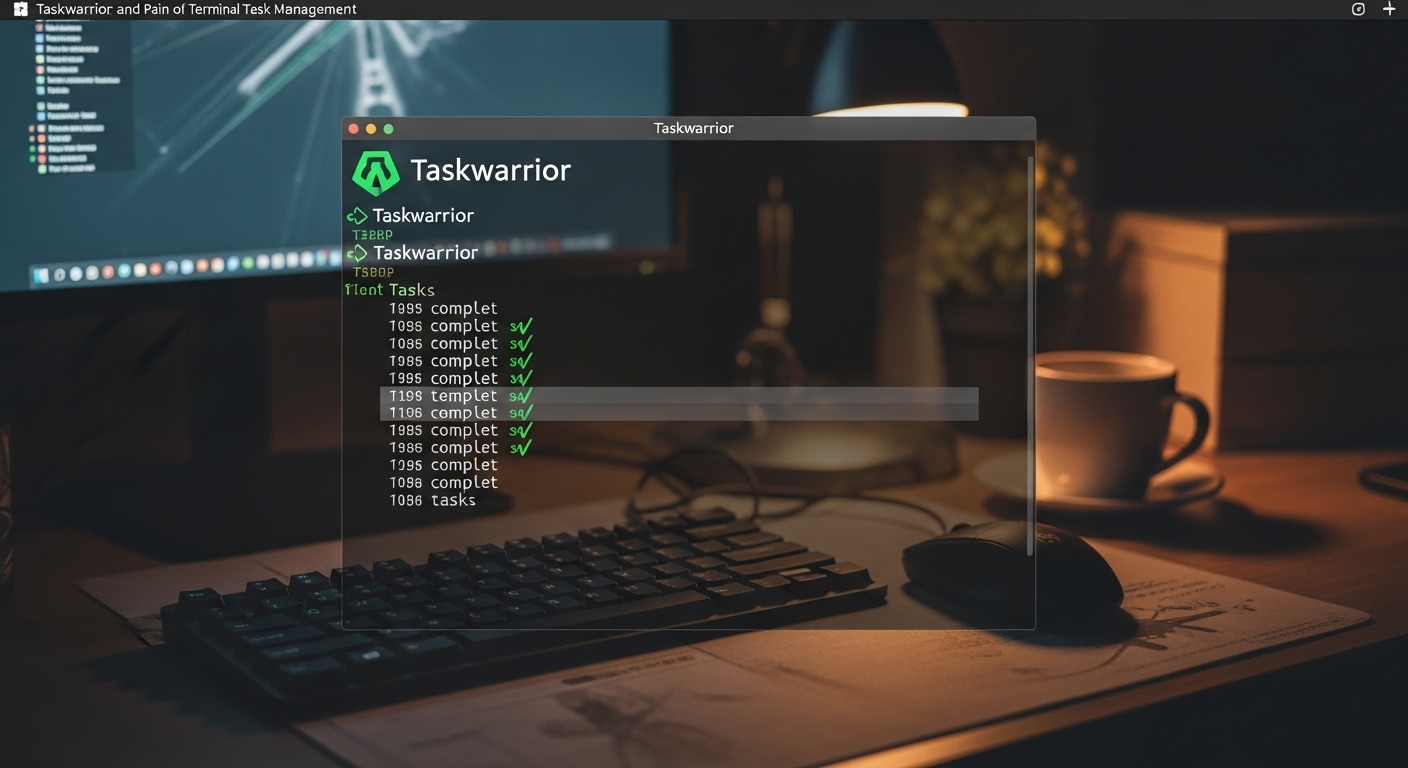
There’s something deeply satisfying about managing your entire life from the terminal. No mouse clicks, no pretty animations, no distractions. Just you, your keyboard, and a command-line interface that responds instantly to your every command. When I discovered Taskwarrior, it felt like I’d found the productivity tool I’d been searching for my entire life.
Taskwarrior is a free, open-source task management system that lives entirely in your terminal. It’s been around since 2006, maintained by a dedicated community of developers who understand that sometimes the most powerful tools are the ones that strip away visual complexity and focus purely on functionality.
The first time I typed task add "Write article about productivity" and saw the task instantly added with a satisfying confirmation message, I felt that rush of efficiency that only command-line tools can provide. This wasn’t just task management. This was task management for people who live in the terminal, who think in commands, who value speed and power over aesthetics.
Within a week, I had migrated my entire task list to Taskwarrior. I spent hours reading the documentation, learning the filtering syntax, creating custom reports, and fine-tuning my workflow. I was convinced I’d finally found the one tool I’d use forever.
Spoiler alert: I didn’t.
But before I explain why Taskwarrior ultimately didn’t work for me, let me tell you why it’s genuinely brilliant and might be exactly what you need.
What Makes Taskwarrior Special
The Command-Line Philosophy
Taskwarrior embodies the Unix philosophy: do one thing and do it extremely well. It manages tasks. That’s it. No calendars, no notes, no project management boards, no collaboration features. Just pure task tracking with a power and flexibility that graphical tools struggle to match.
Every interaction happens through the task command. The basic workflow is elegantly simple:
task add "Buy groceries"
task list
task 1 done
Three commands, and you’ve captured a task, viewed your list, and marked something complete. For basic usage, Taskwarrior is as simple as any tool out there.
But here’s where it gets interesting: beneath this simple surface lies an incredibly sophisticated system capable of handling complex workflows, advanced filtering, custom attributes, and automation that would make most graphical tools jealous.
The Data Model: Tasks as Structured Data
Unlike many task managers that treat tasks as simple text with a few metadata fields, Taskwarrior treats every task as a structured data object with dozens of potential attributes:
- Description: What the task is
- Project: Which project it belongs to
- Tags: Multiple categorization labels
- Priority: High, Medium, Low
- Due date: When it’s due
- Scheduled date: When you plan to work on it
- Wait date: When it should appear in your list
- Until date: When it expires
- Depends: Other tasks this one depends on
- Annotations: Notes and comments
- UDAs (User Defined Attributes): Custom fields you create
This rich data model means you can organize and filter tasks with surgical precision. Want to see all high-priority tasks in the “work” project that are due this week and tagged “urgent”? Easy:
task project:work priority:H due:week +urgent list
This level of filtering power is what makes Taskwarrior feel magical. Your tasks aren’t trapped in rigid categories or views. They’re data that can be sliced and examined from any angle you can imagine.
Projects and Tags: Flexible Organization
Taskwarrior’s approach to organization is beautifully simple yet powerful. Projects are hierarchical labels you assign to tasks, represented with dot notation:
task add "Review pull request" project:work.development
task add "Client meeting prep" project:work.client.acme
task add "Replace air filter" project:home.maintenance
This creates a natural hierarchy without forcing you into rigid structures. A task can belong to exactly one project, creating clean organization.
Tags, on the other hand, are free-form labels you can attach to any task, and a single task can have multiple tags:
task add "Research competitors" project:work.strategy +research +urgent +weekly_review
The combination of projects (hierarchical, single assignment) and tags (flat, multiple assignment) gives you the best of both organizational paradigms. You can think of projects as “where this task lives” and tags as “what kind of task this is.”
The Filtering System: Query Language for Your Tasks
This is where Taskwarrior transforms from a simple task manager into a personal database query system. The filtering syntax is both intuitive and extraordinarily powerful.
Basic filters are simple:
task list                    # All pending tasks
task project:work list       # All tasks in work project
task +urgent list           # All tasks tagged urgent
task due:today list         # All tasks due today
But you can combine filters with boolean logic:
task project:work or project:personal list
task priority:H and due.before:tomorrow list
task project:work.client and +urgent and -waiting list
You can search descriptions:
task /meeting/ list         # Tasks containing "meeting"
task description.contains:proposal list
You can use relative dates:
task due:today list
task due:tomorrow list
task due:eow list          # End of week
task due:eom list          # End of month
task due.after:2days list
You can filter by status:
task status:pending list
task status:completed list
task status:deleted list
task status:waiting list
This query language means you can create exactly the views you need. Want to see all high-priority tasks across all projects that are due in the next three days but not tagged “someday”? Done:
task priority:H due.before:3days -someday list
The power here is that your task list becomes queryable. You’re not limited to predefined views or rigid filtering options. You can ask questions of your data and get instant answers.
Custom Reports: Your Personal Views
Taskwarrior comes with several built-in reports (list, next, minimal, long, etc.), but the real power comes from creating your own custom reports.
Reports are defined in your .taskrc configuration file. For example, here’s a custom report that shows only work tasks due this week, sorted by priority:
report.workweek.description=Work tasks due this week
report.workweek.columns=id,priority,project,tags,description,due
report.workweek.labels=ID,Pri,Project,Tags,Description,Due
report.workweek.sort=priority-,due+
report.workweek.filter=project:work due:week status:pending
Now you can run task workweek and see exactly this view. You can create as many custom reports as you need, each one a saved perspective on your task data.
This is programming your task manager. Instead of hoping the app has the view you need, you define it yourself.
Dependencies and Task Relationships
Taskwarrior supports task dependencies, meaning you can specify that certain tasks must be completed before others can begin:
task add "Design database schema" project:app.backend
task add "Implement API endpoints" project:app.backend depends:1
task add "Write API tests" project:app.backend depends:2
Now task 2 is blocked until task 1 is complete, and task 3 is blocked until task 2 is complete. When you complete task 1, task 2 automatically becomes unblocked and ready to work on.
This creates explicit workflows and helps you see the critical path through complex projects. You’re not just managing independent tasks; you’re managing task networks.
Recurrence: Automated Task Creation
Taskwarrior handles recurring tasks elegantly. You can create tasks that automatically regenerate at specified intervals:
task add "Weekly team meeting" project:work due:friday recur:weekly
task add "Review monthly finances" project:personal due:28th recur:monthly
task add "Change air filter" project:home.maintenance due:2024-03-01 recur:quarterly
When you complete a recurring task, Taskwarrior automatically creates the next instance with the appropriate due date. You define the pattern once, and the system handles the repetition forever.
Annotations: Adding Context Without Clutter
Sometimes you need to add notes or context to a task without changing the task description itself. Annotations let you do this:
task 1 annotate "Client prefers afternoon meetings"
task 1 annotate "Remember to bring mockups"
Each annotation is timestamped and stored separately from the task description. This keeps your task list clean while preserving important context.
Context Switching: Multiple Workflow Modes
Taskwarrior supports contexts, which are saved filter sets you can switch between instantly. This is perfect for different working modes:
task context define work project:work
task context define personal project:personal
task context define urgent +urgent priority:H
Now you can switch contexts:
task context work      # Now all commands automatically filter to work tasks
task list             # Shows only work tasks
task context personal # Switch to personal context
task list            # Shows only personal tasks
task context none    # Back to seeing everything
This is brilliant for focus. When you’re in work mode, personal tasks don’t clutter your view. When you’re in personal mode, work doesn’t distract you. It’s like having multiple task lists that you can switch between instantly.
Some aliases I use in my .zshrc file
alias tn='task next'
alias ts='task start'
alias td='task done'
alias tc='task calendar'
alias tl='task long'
alias tp='task project'
alias ta='task all'
alias tts='task timesheet'
alias tr='task recurring'
alias tt='task'
alias tdt='task due:today list'
alias te='task next limit:3 rc.report.next.columns=id,description rc.report.next.labels= rc.verbose=nothing | sed "s/^/- [ ] /"'
Sync and Backup: Your Data, Your Control
Taskwarrior stores all your tasks in plain text files (JSON format) in ~/.task/. This means:
- Your data is portable and human-readable
- You can backup your tasks with any file backup system
- You can version control your tasks with Git
- You can write scripts to manipulate your task data directly
Taskwarrior also supports Taskserver (now called Taskchampion), a sync server you can self-host or use through third-party services. This lets you sync tasks across multiple devices while maintaining complete control over your data.
For privacy-conscious users, this is huge. Your tasks aren’t stored in someone else’s cloud. They’re files on your machine, synced to servers you control.
Hooks and Extensions: Programmable Task Management
This is where Taskwarrior becomes genuinely programmable. You can write hook scripts that execute at specific points in the task lifecycle:
on-add: Runs when a task is addedon-modify: Runs when a task is modifiedon-launch: Runs when Taskwarrior startson-exit: Runs when Taskwarrior exits
These hooks can be written in any language (Python, Bash, Ruby, etc.) and can modify task data, trigger external actions, or enforce business rules.
Want to automatically tag all work tasks added during business hours as “work_hours”? Write an on-add hook. Want to send yourself an email when a high-priority task is added? Write a hook. Want to integrate Taskwarrior with external services like Slack or Todoist? Hooks make it possible.
This programmability means Taskwarrior isn’t just a task manager. It’s a task management platform you can build on.
The Taskwarrior Ecosystem
Timewarrior: Time Tracking Companion
The same team that built Taskwarrior also created Timewarrior, a complementary time-tracking tool. They integrate seamlessly:
task 1 start          # Start working on task 1
timew                 # Automatically starts tracking time on task 1
task 1 stop          # Mark task complete
timew                # Stops time tracking
You can then generate reports showing where your time actually went:
timew summary        # Summary of tracked time
timew day           # Today's time tracking
timew week          # This week's time tracking
The combination of Taskwarrior and Timewarrior gives you complete visibility into both what you need to do and where your time actually goes.
Third-Party Tools and Interfaces
Because Taskwarrior’s data is open and well-documented, the community has built numerous complementary tools:
- Vit: A visual interface for Taskwarrior that runs in the terminal
- Taskwarrior-tui: Another excellent terminal UI
- Taskwarrior-web: A web-based interface
- Mirakel: Android app with Taskwarrior sync
- Tasktastic: iOS app with Taskwarrior sync
- Bugwarrior: Imports issues from GitHub, GitLab, Jira, etc. into Taskwarrior
This ecosystem means you’re not locked into a single interface. You can use the command line when you want speed, a TUI when you want visual scanning, a web interface when you’re on someone else’s computer, and mobile apps when you’re away from your desk.
Integration Possibilities
Because Taskwarrior is scriptable and uses plain text storage, you can integrate it with virtually anything:
- Export tasks to generate todo.txt files
- Import tasks from email using procmail filters
- Create tasks from calendar events
- Send task summaries to Slack channels
- Generate weekly reports as PDFs
- Sync certain projects to Trello or other team tools
The possibilities are limited only by your scripting ability.
Why Taskwarrior is Brilliant
Let me be clear: Taskwarrior is an exceptional piece of software. After using it intensively, I’m genuinely impressed by its design and capabilities. Here’s what it gets absolutely right:
Speed and Efficiency
Taskwarrior is blindingly fast. Commands execute instantly. There’s no loading time, no sync delay, no waiting for animations. You think the command, type it, and see the result immediately. For someone who lives in the terminal, this speed is intoxicating.
Adding a task takes less than two seconds. Completing a task is instantaneous. Filtering through thousands of tasks happens faster than you can blink. This velocity creates a feeling of effortless productivity.
Flexibility and Power
The combination of projects, tags, custom attributes, filters, reports, and hooks means Taskwarrior can adapt to virtually any workflow. Whether you practice GTD, Kanban, Agile, or your own custom methodology, Taskwarrior can accommodate it.
You’re not fitting your workflow to the tool’s limitations. You’re configuring the tool to match your workflow.
Privacy and Data Ownership
Your tasks are yours. They’re stored locally in plain text. You control the backups. You control the sync (if you even want to sync). There’s no company reading your tasks for advertising purposes, no terms of service that might change, no risk of the service shutting down.
This level of data sovereignty is rare in modern productivity tools.
No Vendor Lock-In
Because your data is in an open, documented format, you can always export it, transform it, or migrate to another system. You’re never trapped. This psychological freedom is valuable even if you never exercise it.
Scriptability and Automation
The ability to automate task management through scripts, hooks, and integration with other command-line tools means your task system can be as smart as you can program it to be.
Want to automatically create a daily review task every evening? Write a cron job. Want to import your GitHub issues as tasks? Use Bugwarrior. Want to generate a weekly report and email it to yourself? Write a script.
This programmability transforms task management from a manual process into an automated system.
The Learning Curve is a Feature
This might sound counterintuitive, but Taskwarrior’s learning curve is actually valuable. It forces you to think deeply about how you want to organize your work. You can’t just dump tasks into an app and hope for the best. You have to consider projects, tags, priorities, and workflows.
This deliberate design creates intentionality. You’re not just using a task manager; you’re designing your personal productivity system.
Why Taskwarrior Ultimately Failed Me
With all these strengths, why did I eventually stop using Taskwarrior after a few weeks? The answer is complex and personal, but I think it reveals important truths about what makes a task management system sustainable.
The Visibility Problem: I Couldn’t See Where I Was Going
This is the big one. Taskwarrior is excellent at showing me what tasks exist, what’s due, what’s blocked, and every other piece of metadata I could want. But it doesn’t show me where I’m going.
When I opened Taskwarrior, I saw a list of tasks. Even with custom reports, even with careful filtering, I was looking at items to complete rather than progress toward goals. There was no narrative arc, no visual sense of advancement, no “you’re 60% done with this project” feedback.
I could see that I had completed tasks. I could run reports showing completion rates. But these were statistics, not stories. They didn’t answer the fundamental question: “Am I making meaningful progress on the things that matter?”
This lack of outcome visibility meant that Taskwarrior felt like an inventory system rather than a navigation system. I knew what I had, but not where I was headed.
The Motivation Gap: No Built-In Reward System
Taskwarrior has no gamification. No points, no levels, no streaks, no badges. When you complete a task, you see a confirmation message, and the task disappears from your pending list. That’s it.
For some people, this purity is perfect. The satisfaction of completing work should be its own reward, and artificial gamification is unnecessary manipulation.
But for me, and I suspect for many people, those external motivators matter. Seeing my Karma increase in Todoist, watching my completion percentage rise, maintaining a streak – these things create psychological momentum that pure task completion doesn’t.
Taskwarrior treats every completed task the same. Whether I knocked out a five-minute email or finished a three-week project, the system’s response is identical: “Task completed.” The emotional flatness of this response meant I didn’t get the motivational boost that helps sustain long-term engagement.
The Context Switching Cost
This is subtle but important. When you use Taskwarrior, you’re leaving whatever you’re doing, opening a terminal, typing commands, and processing text output. Even though these actions are fast, they require a mental context switch.
For quick task capture, this friction can be a barrier. If I’m in the middle of writing and think “I should remember to email Sarah,” opening a terminal and typing task add "Email Sarah about project timeline" project:work +communication due:tomorrowbreaks my flow more than clicking a quick-add button in a GUI tool or using a global hotkey.
The irony is that Taskwarrior is objectively faster than most GUI tools, but the context switch makes it feel slower for in-the-moment task capture.
The Mobile Problem
I don’t always have access to a terminal. When I’m on my phone, walking around, or using a shared computer, Taskwarrior isn’t accessible. The mobile apps that sync with Taskwarrior exist but are third-party and less polished than the command-line interface.
This means my task system fractured. Some tasks went into Taskwarrior when I was at my desk. Others went into my phone’s notes or reminders when I was mobile. Then I had to manually consolidate them, which created friction and broke the capture habit.
For a task system to work for me, it needs to be universally accessible. Taskwarrior’s terminal-centric design makes this difficult.
The Review Problem: No Built-In Reflection
GTD emphasizes regular review of your task system. Taskwarrior can support this through custom reports, but it doesn’t encourage or structure it. There’s no “weekly review mode” that walks you through your projects, no prompt to reflect on completed work, no system for identifying tasks that have been pending too long.
I found myself accumulating tasks without regularly reviewing whether they still mattered. My task list grew but never got healthier. Taskwarrior would faithfully show me everything, but it wouldn’t help me ask: “Should this still be here?”
The Overwhelming Flexibility
This is perhaps the most paradoxical problem. Taskwarrior’s incredible flexibility meant I could configure it to work perfectly for me, but this also meant I spent more time configuring than doing.
I’d create custom reports, then refine them. I’d adjust my tagging system. I’d write hooks to automate workflows. I’d experiment with different priority schemes. All of this was intellectually satisfying, but it was also procrastination disguised as productivity.
The tool that was supposed to help me work became a project itself.
The Solo Experience
Taskwarrior is fundamentally a single-user system. While you can sync data and share it, there’s no native collaboration, no shared projects, no ability to assign tasks to others or see their progress.
In practice, much of my work involves other people. Some tasks are waiting on colleagues. Some projects are team efforts. Some deadlines are shared commitments.
Taskwarrior could track my individual pieces of these collaborative efforts, but it couldn’t represent the collaboration itself. This meant maintaining a disconnected view of work that’s actually interconnected.
Who Should Use Taskwarrior?
Despite its limitations for me, Taskwarrior is genuinely excellent for certain types of people and workflows. You should seriously consider Taskwarrior if:
You’re a Terminal Power User
If you already spend most of your day in the terminal, if you think in commands rather than clicks, if you value keyboard efficiency above all else, Taskwarrior will feel like home.
For developers, system administrators, writers who use Vim or Emacs, data scientists working in Jupyter or RStudio, and anyone else who lives in text-based interfaces, Taskwarrior integrates seamlessly into your existing workflow.
You Value Privacy and Data Ownership
If the idea of storing your tasks in someone else’s cloud makes you uncomfortable, if you want complete control over your data, if you prefer self-hosted solutions, Taskwarrior is one of the best options available.
Your tasks live in plain text files on your machine. You control the backups, the sync, and who has access. This level of sovereignty is increasingly rare.
You Want Programmability
If you’re comfortable writing scripts, if you want to automate your task management, if you see your task system as something to program rather than just use, Taskwarrior’s hooks and integration capabilities are unmatched.
You can build incredibly sophisticated workflows that would be impossible in most GUI tools.
You Work Solo
If most of your work is individual rather than collaborative, if you don’t need to share tasks or assign work to others, Taskwarrior’s single-user focus isn’t a limitation.
For independent consultants, freelancers, researchers, and solo entrepreneurs, Taskwarrior can be perfect.
You’re Self-Motivated
If you don’t need gamification or external rewards, if the satisfaction of completing good work is sufficient motivation, if you’re disciplined enough to maintain a task system without psychological tricks, Taskwarrior’s pure approach will appeal to you.
Some people find gamification manipulative or childish. For them, Taskwarrior’s straightforward “here are your tasks, now do them” philosophy is refreshing.
You’re Willing to Invest Setup Time
If you’re willing to spend hours or even days learning the system, reading documentation, experimenting with configurations, and building your perfect setup, Taskwarrior rewards this investment with a task management system tailored exactly to your needs.
This isn’t a tool you’ll master in an afternoon, but the mastery is genuinely valuable.
When to Avoid Taskwarrior
Conversely, Taskwarrior might not be right for you if:
You Need Mobile-First Access
If you primarily capture and process tasks on your phone, if you’re rarely at a desktop computer, if you need your task system available at all times regardless of device, the mobile experience with Taskwarrior is too limited.
You Want Visual Motivation
If you respond to progress bars, completion percentages, streak tracking, achievement badges, or other visual motivation systems, Taskwarrior’s text-only interface won’t satisfy this need.
You Need Team Collaboration
If your work is primarily collaborative, if you need to assign tasks to others, share projects, or see team progress, Taskwarrior’s single-user design is a fundamental limitation.
You Want Immediate Usability
If you want a tool you can start using productively within minutes, if you don’t want to read documentation or configure settings, if you prefer opinionated tools that just work out of the box, Taskwarrior’s flexibility requires too much upfront investment.
You’re Not Comfortable with Command Lines
This seems obvious, but it’s worth stating: if terminals intimidate you, if you strongly prefer graphical interfaces, if the idea of typing commands to manage tasks feels unnatural, Taskwarrior isn’t for you.
There’s no shame in this. Different people work differently.
Making Taskwarrior Work: Lessons Learned
Even though Taskwarrior ultimately didn’t become my permanent solution, I learned valuable lessons about what makes a task system sustainable. If you decide to try Taskwarrior, here’s my advice:
Start Simple, Add Complexity Gradually
Don’t try to build the perfect configuration on day one. Start with basic commands: add, list, done. Get comfortable with the fundamentals. Only add projects when you need them. Only create custom reports when the built-in ones become limiting.
The temptation with Taskwarrior is to over-engineer your setup because it’s so configurable. Resist this. Build your system organically as actual needs emerge.
Create a Daily Review Ritual
Schedule a specific time each day (I used end-of-workday) to review your task list. Run a report showing what you completed, what’s upcoming, and what’s overdue. This creates the reflection that Taskwarrior doesn’t enforce but absolutely requires.
Without regular review, your task list becomes a growing pile of noise.
Use Contexts Religiously
Define contexts for different modes of work and switch between them deliberately. This prevents overwhelm and creates focus.
I had contexts for: work, personal, planning (for weekly reviews), urgent (high-priority across all projects), and waiting (tasks blocked on others).
Combine with Timewarrior
The combination of task management and time tracking provides the outcome visibility that Taskwarrior alone lacks. When you can see not just what you completed but how long you spent on different categories of work, patterns emerge.
This data helps you understand where your time actually goes versus where you think it goes.
Build External Motivation Systems
Since Taskwarrior doesn’t have built-in gamification, create your own. Write a script that tracks weekly completion rates and sends you a summary email. Create a chart showing tasks completed over time. Build a streak tracker.
The scriptability means you can add the features you need.
Use Annotations Liberally
Don’t let task descriptions become paragraphs. Keep them concise, and use annotations to add context, notes, and updates. This keeps your task list scannable while preserving important information.
The Verdict: A Powerful Tool for the Right Person
Taskwarrior is brilliant software. It’s fast, flexible, private, and extraordinarily powerful. For terminal enthusiasts who value data ownership and programmability, it’s among the best task management tools ever created.
But it’s not for everyone, and that’s okay. Great tools can be wrong for particular people or workflows without being bad tools.
For me, Taskwarrior excelled at task tracking but failed at motivation and outcome visualization. It showed me what to do but not why it mattered or where I was going. The lack of built-in rewards and the terminal-only interface created friction that eventually broke my habit.
Yet I’m genuinely glad I spent those weeks with Taskwarrior. It taught me what I actually need from a task system: not just organization, but motivation, visibility, and a sense of progress toward meaningful outcomes.
If you’re considering Taskwarrior, I encourage you to try it, especially if you’re a terminal user. The 30-day trial costs nothing but time. Configure it thoughtfully, use it genuinely, and see if it matches your workflow.
It might be exactly what you need. Or it might teach you, as it taught me, what you actually need from a productivity system.
Either outcome is valuable.
Resources and Next Steps
If you want to explore Taskwarrior:
- Official website: taskwarrior.org
- Documentation: taskwarrior.org/docs
- Community forum: Groups discussion boards
- GitHub: github.com/GothenburgBitFactory/taskwarrior
Consider also exploring:
- Timewarrior for time tracking
- Vit or Taskwarrior-tui for visual interfaces
- Bugwarrior for integrating external issue trackers
And remember: the best productivity system is the one you’ll actually use consistently. Taskwarrior might be that system for you, or it might help you discover what you really need. Both outcomes are worth the exploration.