Reading CSV files in Dart language is easy. Make sure you have already installed Dart SDK, follow this tutorial if you haven’t Install Dart SDK on Mac, Windows and Linux
For this tutorial, we are going to use the Dart plugin on PHPStorm by JetBrains. To install the plugin on Mac go to PHPStorm -> Preferences -> Plugins and search for ‘Dart’. See my screenshot.

Few more plugins for Dart
Dart for Visual Studio Code and Dart Plugin from JetBrains
After successfully installing the plugin open PHPStorm go to File -> New Project and choose Dart -> Console Application. See the screenshot.

PHPStorm will give you a project structure like this. We won’t use the dummy dart library file from lib folder. We will use only main.dart file from the bin folder.
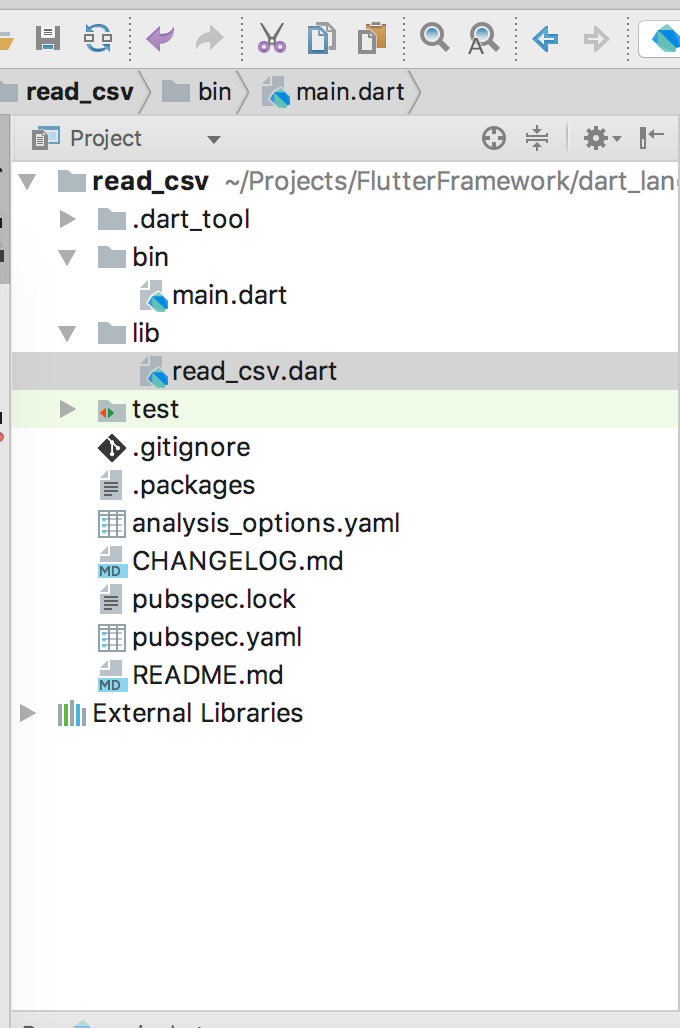
Delete all lines from main.dart the file and paste this code. Run the code (bottom of the page) from PHPStorm it will print the id, symbol, and open column from each row of the CSV file.
Download the CSV file for testing

import 'dart:io';
import 'dart:async';
import 'dart:convert';

main(List arguments) {
  final File file = new File("~/Downloads/C_stock_data.csv");

  Stream<List> inputStream = file.openRead();

  inputStream
      .transform(utf8.decoder)       // Decode bytes to UTF-8.
      .transform(new LineSplitter()) // Convert stream to individual lines.
      .listen((String line) {        // Process results.

       List row = line.split(','); // split by comma

        String id = row[0];
        String symbol = row[1];
        String open = row[2];
        String low = row[3];
        String high = row[4];
        String close = row[5];
        String volume = row[6];
        String exchange = row[7];
        String timestamp = row[8];
        String date = row[9];

        print('$id, $symbol, $open');

      },
      onDone: () { print('File is now closed.'); },
      onError: (e) { print(e.toString()); });
}